
Spreadsheets vs. Gym Management Software: What It Actually Costs You in Time
Sunday night, laptop on the kitchen table, three tabs open: the Google Sheet with the class schedule, the WhatsApp broadcast list, and the Stripe dashboard. You're typing a name from one into the other.
That's what "free" looks like at a lot of small studios. No subscription, no monthly software bill — just ninety minutes every Sunday manually reconciling who's paid, who's booked, and who actually needs to know Thursday's class time changed. That's not free. It's just a cost that never shows up as a line item.
| Task | With spreadsheet + WhatsApp + Stripe | With one system |
|---|---|---|
| Cancel a class | Delete a row by hand, check the waitlist manually | Spot frees up and refills automatically |
| Check a payment | Separate look at the Stripe dashboard, match names by hand | Payment status right on the member's profile |
| Announce a schedule change | Broadcast to the entire WhatsApp group | Message goes only to people actually booked |
| Add a new member | Manually add to spreadsheet and group | Registers themselves via a link |
Where the time actually goes
It's rarely the big things. It's the member who's still on the class list even though she cancelled her membership three weeks ago, because nobody deleted her from the sheet. It's the spot that got double-booked because two coaches were editing two copies of the same file at once. It's the WhatsApp group where three different people post schedule changes, and by the end of the week nobody's sure which version is current.
Each of these on its own is a five-minute annoyance. Stacked up, week after week, they're the reason "admin" starts to feel like a second part-time job sitting on top of the actual coaching.
Where memory stops being enough
At 15 members, you can still hold every name and every contract status in your head. Somewhere between 40 and 60 members, that stops working — not because you got worse at organizing, but because no one can reliably track 50 individual payment dates, cancellation windows, and class preferences by memory, and a spreadsheet doesn't actually help with that. It only stores what you tell it, without checking anything on its own.
What actually changes when it's one system instead of three
The real difference isn't a nicer interface. It's that booking, payment status, and communication live in one place instead of being spread across three tools that don't know about each other. Someone cancels a class, and they disappear from the roster automatically while the freed-up spot goes to the waitlist. A payment fails, and you see it on the member's profile immediately instead of catching it at the next manual reconciliation. A class time changes, and exactly the affected members get notified — not the entire WhatsApp group.
What switching to BooklyFit actually looks like
Not a big project — three steps in an afternoon:
- Settings → Identity: set your studio name and copy the auto-generated member registration link. Share that instead of manually adding someone to a spreadsheet or WhatsApp group — new members register themselves.
- Classes: build your weekly timetable once with recurring classes, instead of retyping it into a sheet every week.
- Settings → Payments Dashboard → "Connect Stripe": payments now live in the same system as bookings, instead of a separate tab.
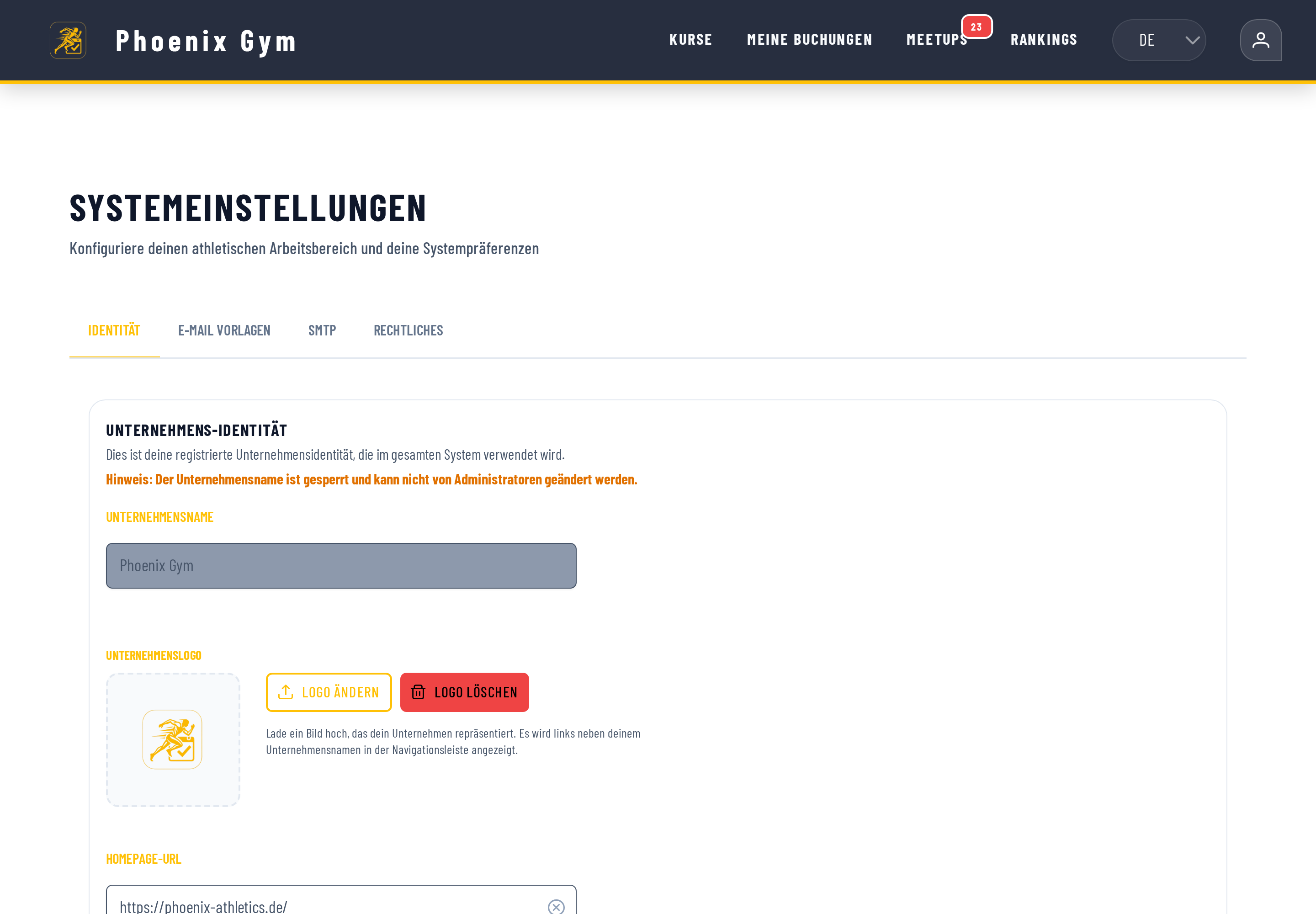
See the full step-by-step guide in the docs →
When a spreadsheet is honestly all you need
If you teach eight fixed classes a week to the same twelve people, you know all of them by first name, and they pay you in cash or by bank transfer, a spreadsheet probably costs you ten minutes a week, not ninety. In that case switching to a system is more of a convenience than a necessity, and a free tier covers it easily. The point where switching genuinely pays off isn't a specific member count — it's the moment you notice you're correcting mistakes after the fact more often than you're planning ahead.
The next Sunday night
The laptop stays closed. Not because there's nothing to do, but because the schedule, the payments, and the messages to members all come from the same source now — one that doesn't need you to remind it, every Sunday evening, what actually happened that week.
Have you also read?
The Real Cost of Manual Membership Billing
Manual billing doesn't just cost time — it quietly costs revenue through memberships that lapse by accident.
OperationsHow to Stop Losing Money to Class No-Shows
Why empty spots are money you lost twice, and how an automatic waitlist keeps every class genuinely full.
PricingFree Class Booking Tools Compared
What a "free" tier actually means in practice, and the questions worth asking before you pick a free booking tool.
Ready to see it for yourself?
BooklyFit is free to start — no credit card required.